Getting Started
BRIDGE is a cross-platform application designed to make aquiring biosignals and using them easier.
The current application has only been tested on Windows 10, Windows 11, and Android (version #). This guide describes intended behavior for the application and some features may not be full implemented.
Setup
Windows
- Download and install the Installer:
BRIDGE_installer.exe - After installation, you should be able to access BRIDGE from your Start Menu
MacOS
Not yet ported
- Download and install the Installer:
BRIDGE_installer.dmg - After installation, you should be able to access BRIDGE from your
Android
Developer mode only
Official
- In the google play store, search for
BRIDGEby Utah Neurorobotics Lab - Click Install
Using .apk
- Navigate to our Github and find the Releases tab.
- Download the
BRIDGE.apkfrom our latest release and transfer to your android device using a USB data cable - On your android device, find your Files folder. Interact with
BRIDGE.apkand install as an app on your device.
iOS
Not yet ported
Usage - Core Concepts
This application has a core function: Route your incoming data and outgoing commands through one central hub
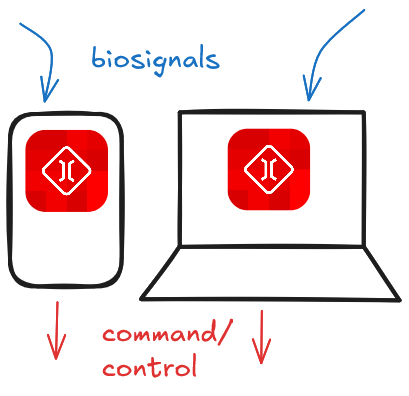
The BRIDGE app is composed of three primary parts:
1. Device and Connection handling
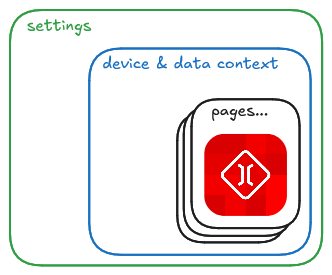
This is the most crucial component of the application. All data are routed through a global context which the rest of the app has access to.
Visit the Developer Docs section for more information on how this component functions.
2. 'Pages'
BRIDGE is designed to accomodate many user applications that all may need to send and recieve commands.
You can think of these as tabs in a browser. Researchers can design a new page that accesses data without needing to alter existing pages.
3. Settings
To be implemented
BRIDGE also has persisting settings that exist a layer outside of all other components. This settings context defines behavior the entire app should have. Parameters that could go in here may range from user preferences such as themes to user account handling.